Why Is My Underwater Video Blue? And How to Fix It
Your underwater video is blue because water absorbs red light first. The deeper you go, the less red reaches your camera, so footage drifts from natural colour toward blue and then blue-green. A camera records whatever arrived at the lens, and the red was already gone.
Try Dive Color
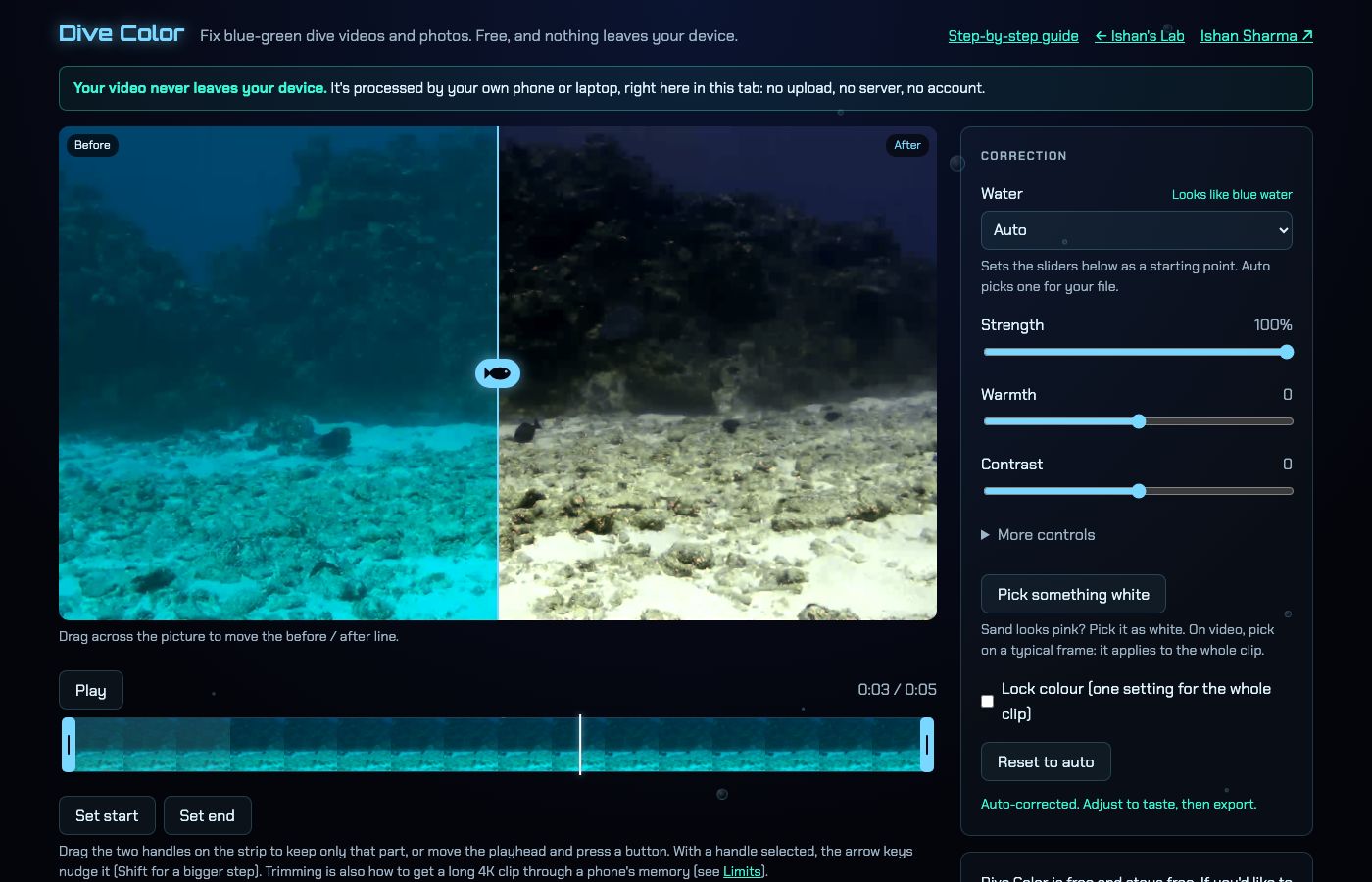 Open Dive Color, free in your browser
Why is my underwater video blue?
Sunlight is a mix of colours. When it travels through water, red is absorbed quickly, while blue is absorbed much more slowly and so survives the longest. By the time light has travelled down to your subject and back up to the lens, the red part of the picture is thin or missing.
That is why a reef that looked vivid to your eyes at the surface looks grey-blue on screen. Your brain adjusts for the cast while you are in the water, and a camera does not.
Three things make it worse:
- Depth, because each extra metre removes more red from the light.
- Distance to the subject, because the light also has to travel back to the camera.
- Dull weather or a dark site, because there is less light to start with.
Why is some footage green instead of blue?
Lakes, fjords and quarries often carry particles and algae that tint the water. Footage from those places leans green rather than blue, and the fix is different: you need to take green out as well as put red back.
Can you fix the colour after the dive?
Partly. Red that was absorbed on the way down cannot be recovered if none arrived at the sensor, but in most dive clips some red is still there, only weak. Correction software boosts what is left and balances the channels so the picture stops looking like it sits behind a blue filter.
Very deep or dark shots have little red left to rebuild, so expect a smaller improvement there.
How does Dive Color correct blue footage?
I built Dive Color for my own dive clips. It is free, runs in your browser and works in Safari, Chrome, Edge and Firefox with nothing to install. Your file is never uploaded, because it is read with the File API, processed on the GPU and saved as a download.
The correction is plain maths, not AI, and it works in three stages:
- Red compensation adds back the red the water absorbed, using a method from Ancuti et al. 2018, "Color Balance and Fusion for Underwater Image Enhancement". It only ever adds red.
- Gray-world white balance scales red, green and blue so their averages match, with limits so it cannot go wild.
- Levels lift the haze by setting black points, with one shared white point so deep-blue shots do not turn purple.
For video, the page reads the clip about twice a second, up to 400 readings, and smooths them. Colour therefore follows the changes in depth without flicker. If you would rather have one setting for the whole clip, switch on Lock colour.
How do I use it on my clip?
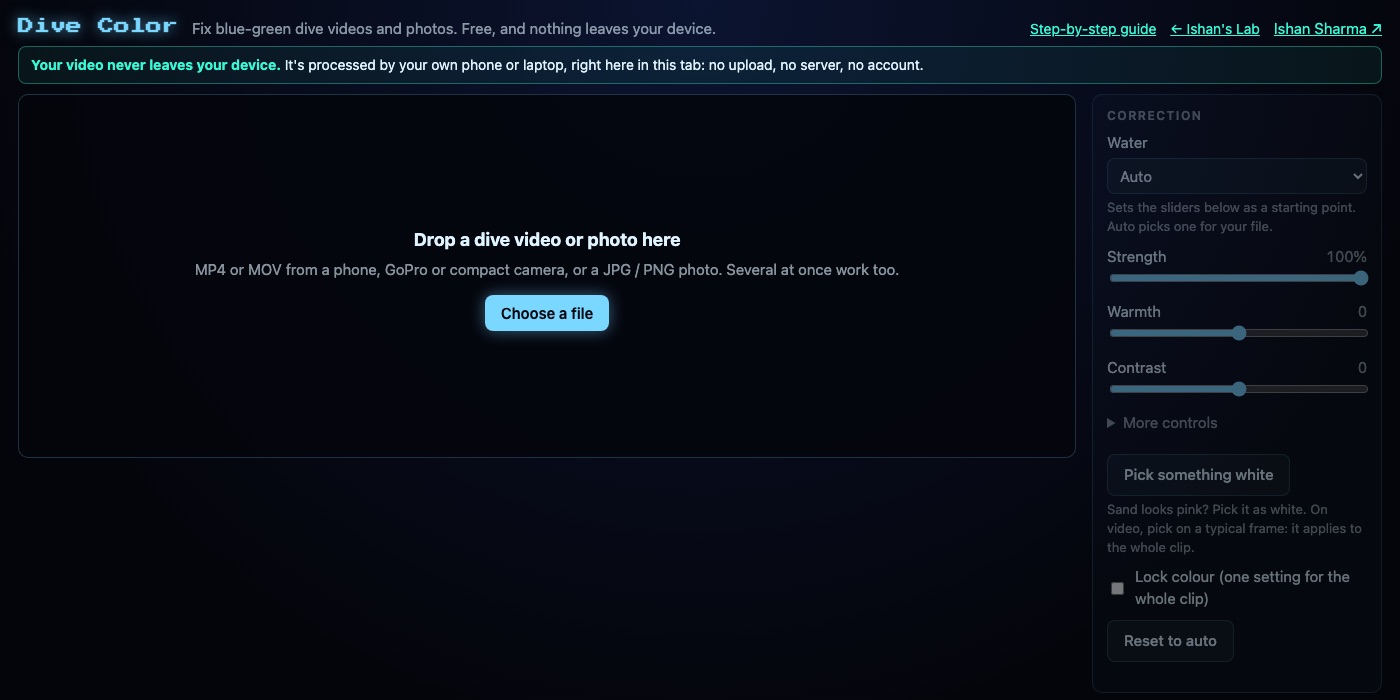
- Drop a video or photo onto the picture, or press Choose a file. MP4 and MOV videos work, as do JPG and PNG photos.
- Slide the line across the picture to compare. Left of the line is the original and right of it is the corrected frame.
- Adjust only if you want to. I usually stop at the automatic result.
- Choose how to export, then save.
Dive Color picks a water type for each file from its average colour and brightness and shows a "Looks like ..." line. Choices are Deep blue, Blue water, Reef, Green water, Shallow and bright, and Torch or night. That guess is a set of plain thresholds that I tuned by eye on six example frames, so change the Water choice if it is wrong.
What if the colour is still off?
Sliders cover Strength, Warmth, Tint, Contrast and Saturation, plus Red recovery and Clear the haze under More controls. Lowering Red recovery keeps open water blue, and raising it warms a reef. Tint to the right removes green from a lake or quarry.
If sand or a white object still has a cast, press Pick something white and tap that spot. The tool scales the channels so the spot comes out neutral, and the change is limited so a bad tap cannot wreck the picture.
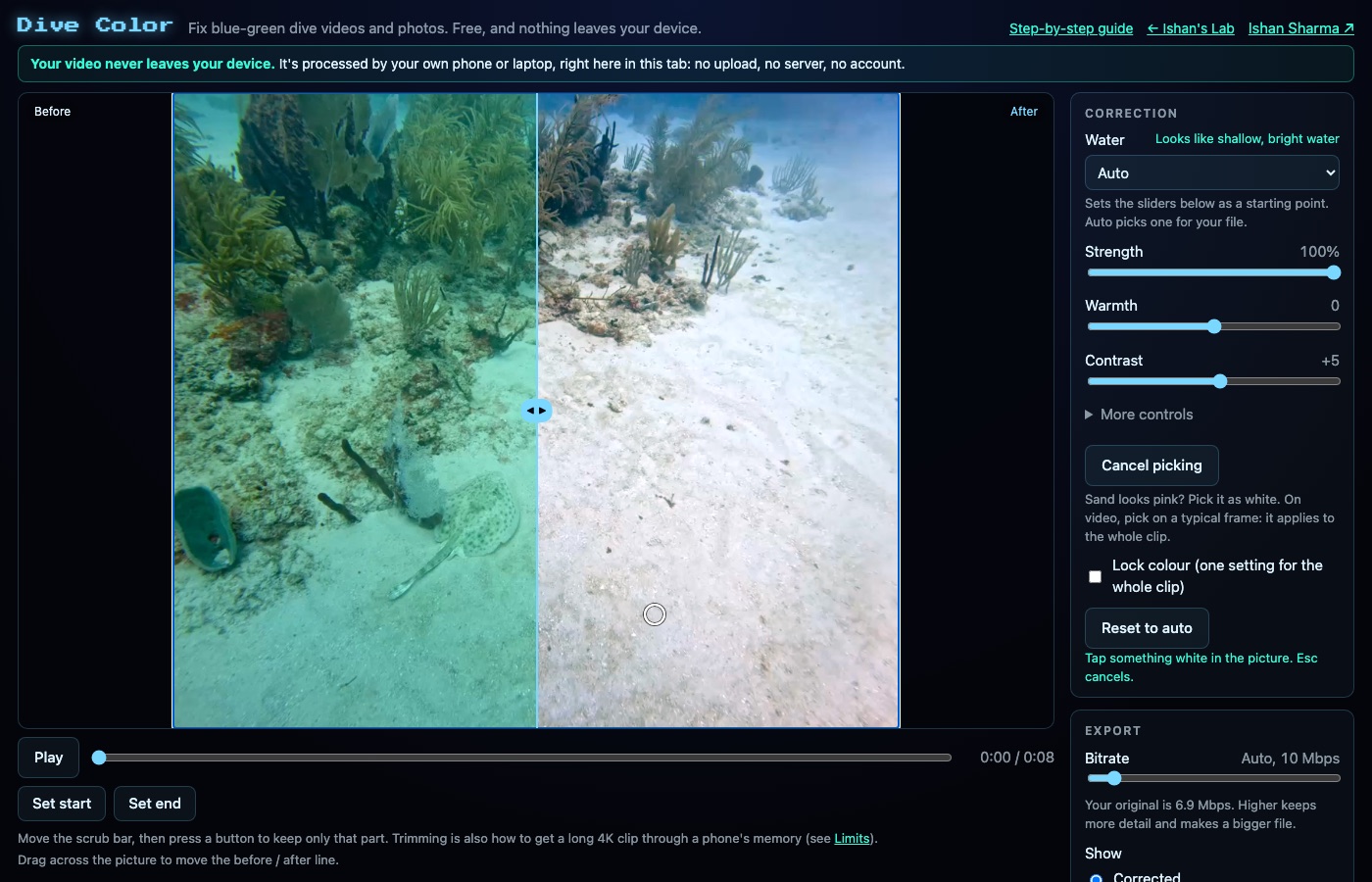
On a video, the tap uses the current frame and applies the same change to the whole clip.
How do I save the result?
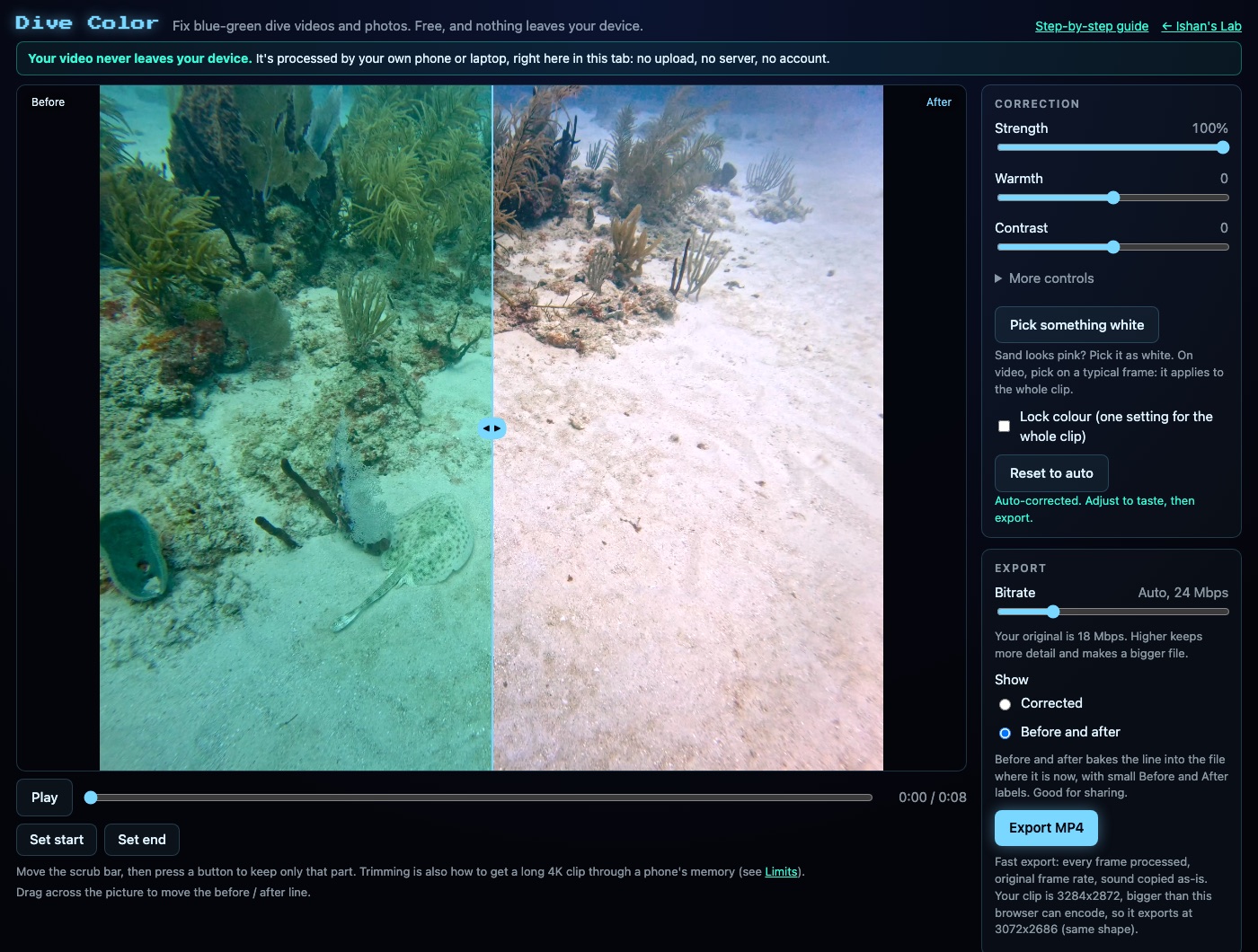
For video, a line under the export button tells you which route applies. Fast export processes every frame at the original frame rate and copies the sound across. Real-time export is slower and is used when the browser cannot encode directly, because the clip plays through once while it records. Keep the tab open until it finishes.
The file downloads with -divecolor added to the original name. You can also set Show to Before and after, which burns the split line and small labels into the file.
What will Dive Color not do?
Speed depends on your device, and long 4K clips are slow on phones. Trimming helps a long clip get through a phone's memory. iPhone HDR clips (Dolby Vision or HLG) export in standard range. Audio that is not AAC or Opus cannot be copied across, so those clips use the real-time route.
Because nothing is uploaded, there is no sharing link. The result is a file on your device.
Not supported are GoPro preview files (.LRV, .THM), 360 files, AVI, MKV and RAW photos.
Dive Color is free and stays free. There is a donation link, and it goes to PADI AWARE, the divers' ocean charity.